
Orrerie Merchant takes a crypto payment into a wallet the merchant controls. This note is for the developer who has to trust that an order marked Paid really is: what happens between your one API call and the webhook, who has the money at each moment, and what is weaker than you might assume.
The whole path, in four steps
- Your server makes an order with one call and gets back an address of a checkout page.
- The payer's browser goes to that page. The payer taps Pay with Orrerie, or picks a coin and a network and pays the address shown.
- The money arrives in the merchant's own wallet, which needs two of three keys. Orrerie holds one, so it cannot move the money alone.
- Orrerie sends your server the event
order.paid, and you fulfil the order.
The money never passes through Orrerie. Each of the four steps has one thing worth knowing.
1. One call makes one order
curl https://api.orrerie.com/v1/checkout_sessions \
  -H "Authorization: Bearer $ORRERIE_SECRET_KEY" \
  -H "Content-Type: application/json" \
  -H "Idempotency-Key: order-1042-attempt-1" \
  -d '{
    "amount": "21.99",
    "currency": "USD",
    "description": "Order #1042",
    "reference": "1042",
    "customer_email": "jane@example.com",
    "success_url": "https://acme.example/thanks?session={CHECKOUT_SESSION_ID}",
    "cancel_url": "https://acme.example/cart"
  }'
# Then send the payer's browser to the "url" in the answer:
#   HTTP/1.1 303 See Other
#   Location: https://pay.orrerie.com/c/cs_z7ek5wj68fyz80j7bz1eq4e0
The call is ordinary JSON over HTTPS with an API key. The Idempotency-Key header makes a repeat of the same call give the same order, so a timeout on your side can be retried without charging twice. Payment links, invoices, the till page and subscription periods each make exactly one order in the same way; everything after this point is the same for all of them.
2. The payer pays, by default to an address made for that one order
A payer who uses the Orrerie wallet taps Pay with Orrerie and the app opens with the order filled in. Anyone else pays from any wallet, by QR code or by copying the address, after choosing the coin and the network.
For a payer outside the Orrerie app, the address is by default one of the deposit addresses of Relay, a separate company, made for that one order. Relay converts on the way and delivers into the merchant's own wallet in the coin the merchant chose, normally USDC on Base. A payment that Relay routes leaves the merchant nothing to collect from per-order addresses, and the merchant needs no gas money to be paid. By default the routing and network cost is shown to the payer in the checkout as its own line and the payer pays it; a merchant can choose to absorb it instead.
Litecoin, Dogecoin, POL and TRX, and Bitcoin that the merchant keeps as Bitcoin, skip Relay and are paid straight to the merchant's own wallet. How the checkout matches such a payment to its order is on the checkout page of the docs: The hosted checkout
Two things here are weaker than a payment that goes straight from one wallet to another, and the API does not hide them:
- While a payment is being converted it is with Relay, for seconds to minutes. Orrerie never holds it. Every payment instruction the API returns carries the field
in_transit_notice, which says so in words. - Before a payment arrives, Orrerie's servers decide where it is sent. The merchant's keys protect money once it is in the wallet, and not before.
Litecoin and Dogecoin are not covered by Relay and arrive unconverted.
3. The money lands where Orrerie cannot move it alone
Every merchant wallet needs two of three keys: the merchant's browser key, the recovery key the merchant's Orrerie app makes and keeps, and Orrerie's server. Orrerie holds one. With its browser key backup and its Orrerie app's backup words a merchant can move everything in its wallets with a downloadable recovery tool, without Orrerie. One exception: money that reaches an old Bitcoin, Litecoin or Dogecoin address after a change of keys moves only with Orrerie's co-signer, from the dashboard.
This is also the limit of the design, and it should be said to a developer plainly. A merchant in a browser is less protected than a user of the phone app: for a few seconds per payout its key is in a web page that Orrerie's server sends. Someone who took over that page and the co-signing server at the same time could take the money of every merchant who approved something while it lasted. There is no outside security review or audit; every phase that touches keys or money ends with an in-house attack review.
4. Paid is read from the network, not reported
An order is Paid only when the merchant's own wallet shows the money on the network. It is not Paid because Relay said it delivered, and not because the payer's browser came back to your site. When the wallet shows the money, the order's status becomes paid (or overpaid) and the event goes out. These are the fields a shop reads; the whole event carries more:
{
  "id": "evt_mm505bp07z2vgqk5jp3mp9ts",
  "created": "2026-10-11T14:09:55.764Z",
  "type": "order.paid",
  "data": {
    "object": {
      "id": "ord_0zymngngvf12b8b2cra7tb8e",
      "status": "paid",
      "amount": "21.99",
      "currency": "USD",
      "reference": "1042",
      "settlement": {
        "mode": "convert",
        "asset": "base:usdc",
        "amount_expected": "21.990000",
        "amount_received": "21.990000",
        "wallet": "wal_bsfw07hymawmda7gg8jsyy3g"
      },
      "amount_paid": "21.99",
      "paid_at": "2026-10-11T14:09:55.764Z"
    },
    "previous_attributes": {
      "status": "processing"
    }
  }
}
Fulfil on this event, or by reading the order with GET /v1/orders/{id}. Never fulfil because the payer's browser arrived at your success_url: anyone can open that address.
Receiving the webhook correctly
A webhook is signed with HMAC-SHA-256. The header Orrerie-Signature carries a timestamp t and one or more signatures v1. The signed message is the timestamp, a full stop, and the raw bytes of the body; the key is the endpoint's signing secret. Check your code against this vector before you have an endpoint:
secret     whsec_EXAMPLEEXAMPLEEXAMPLEEXAMPLEEXAMPLEEXAk3Qw
timestamp  1791727795
body       {"id":"evt_9s2e3tbehv3qd6zp7jjg1gbx","object":"event","type":"ping","api_version":"2026-10-11","created":"2026-10-11T14:09:55.000Z","livemode":false,"data":{"object":{"object":"ping","endpoint":"we_tx7j2vmn3r2px2vpwbtz5h7b"}},"request":{"id":null,"idempotency_key":null},"pending_webhooks":1}
header     Orrerie-Signature: t=1791727795,v1=a6e57ea3d029c6fd580984a9926230d06425882512aff3d5dc7abf650b481107
Verifying needs no library of ours. In Node.js:
const crypto = require('node:crypto');
const express = require('express');

const SECRET = process.env.ORRERIE_WEBHOOK_SECRET;   // whsec_…
const TOLERANCE_SECONDS = 300;

function verifyOrrerieSignature(rawBody, header, secret, nowSeconds = Math.floor(Date.now() / 1000)) {
  if (typeof secret !== 'string' || secret === '') return false;   // no secret configured: refuse everything
  if (typeof header !== 'string') return false;
  let t = null;
  const signatures = [];
  for (const part of header.split(',')) {
    const i = part.indexOf('=');
    if (i < 0) continue;
    const key = part.slice(0, i).trim();
    const value = part.slice(i + 1).trim();
    if (key === 't') t = value;
    if (key === 'v1') signatures.push(value);
  }
  if (!t || !/^\d+$/.test(t) || signatures.length === 0) return false;
  if (Math.abs(nowSeconds - Number(t)) > TOLERANCE_SECONDS) return false;
  const expected = crypto.createHmac('sha256', secret)
    .update(t + '.', 'utf8').update(rawBody).digest();        // rawBody is a Buffer
  return signatures.some((hex) => {
    if (!/^[0-9a-f]{64}$/.test(hex)) return false;
    return crypto.timingSafeEqual(expected, Buffer.from(hex, 'hex'));
  });
}

const app = express();
// express.raw keeps the exact bytes. Do not use express.json() on this route.
app.post('/webhooks/orrerie', express.raw({ type: 'application/json', limit: '300kb' }), async (req, res) => {
  if (!verifyOrrerieSignature(req.body, req.get('Orrerie-Signature'), SECRET)) {
    return res.status(400).send('bad signature');
  }
  const event = JSON.parse(req.body.toString('utf8'));
  if (await alreadyHandled(event.id)) return res.status(200).send('duplicate');   // your own table, unique on event.id
  await saveEvent(event);                                                         // then work on it in the background
  res.status(200).send('ok');
});

module.exports = { verifyOrrerieSignature };
Four rules make a handler correct:
- Verify the raw bytes, before any JSON parsing, and refuse a timestamp more than 300 seconds from your clock.
- Answer within 10 seconds and do slow work afterwards.
- Expect the same event more than once. Store the ids you have handled and ignore a repeat. A delivery that fails is tried again, twelve attempts over three days, each attempt signed afresh.
- Do not rely on the order of arrival. An old event can arrive after a newer one about the same order; act on the order's
status, not on the sequence.
In outline:
on POST:
  raw   = read body bytes
  if not verify(raw, header, secret): return 400
  event = parse(raw)
  begin transaction
    insert event.id into handled_events      -- unique key; a duplicate aborts the transaction
    if event.type == "order.paid":
        order = your order where reference = event.data.object.reference
        if order is not yet fulfilled and event.data.object.status in ("paid", "overpaid"):
            queue fulfilment of order, with event.data.object.id
  commit
  return 200

fulfilment, for each queued order:
  current = GET /v1/orders/{id} with your secret key
  if current.status in ("paid", "overpaid"):
      mark order paid; ship
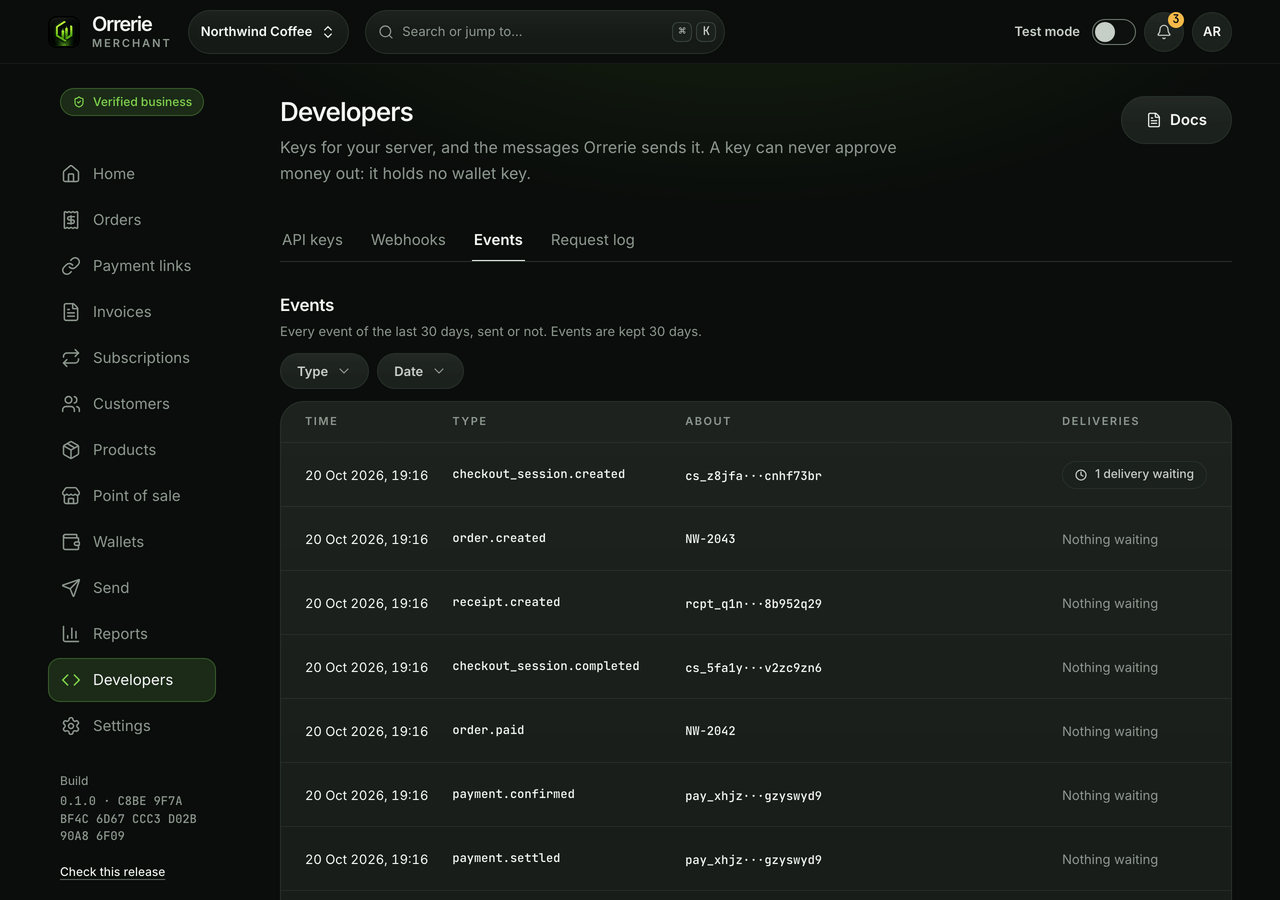
An event stays readable and resendable for 30 days, so a server that was down can catch up with GET /v1/events instead of guessing.
What the API cannot do
The API cannot move funds by itself. It can request a refund, a payout, a conversion or a new saved address; a person at the merchant approves each one in the dashboard with a passkey, and only then is anything signed. A stolen API key can make orders and requests. It cannot take money out.
When something cannot be done, the API and the pages say exactly why and what still works. Nothing quietly switches to another way of paying.
Trying it
Test mode is simulated payments for trying the API: a test key, an order, a simulated payment, and the same signed order.paid on your endpoint. There are no test-network wallets to fund.