
Invoices
A numbered bill your customer can pay in crypto.
Lines, a discount, a tax line, a due date and a PDF. One invoice has exactly one order.
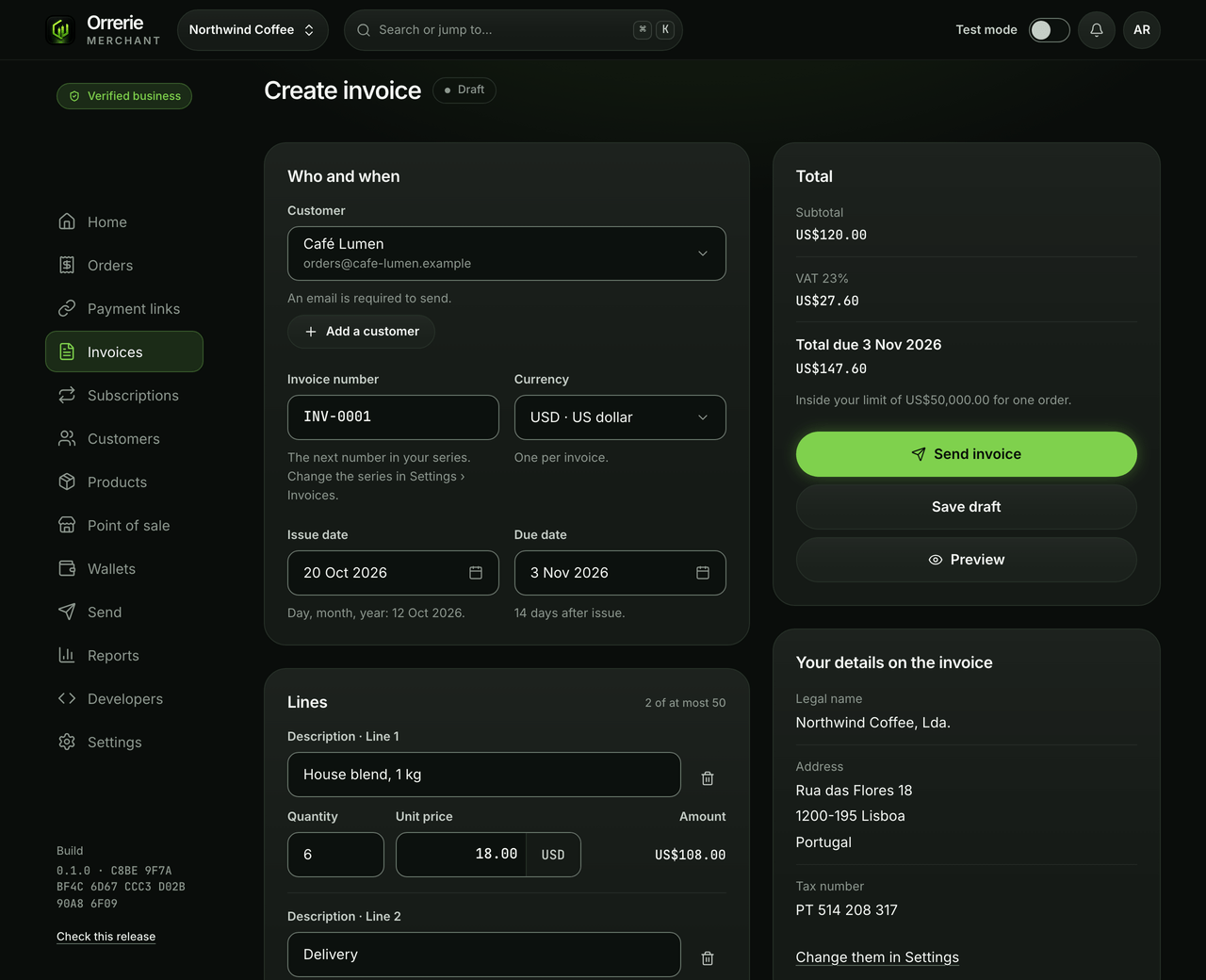
The pictures on this page show the built product with a test business and simulated payments.
A real document
Your details, your numbers, your tax line.
An invoice goes to one customer, with your business details, a number from your own series, an issue date, a due date and up to 50 lines.
- A discount and a tax line, worked out as you type.
- The series of numbers is yours, set in Settings › Invoices.
About tax
Orrerie does not work out what tax you owe. It adds the tax line you enter.

Sending it
One link, paid from any wallet.
Send the invoice's link or its PDF from your own email: Orrerie does not email your customers yet. Pay invoice opens the checkout for the invoice's order.
- A part payment shows what arrived and what is still to pay.
- It is Paid when your own wallet shows the full amount.

Every state named
Draft, Awaiting payment, Overdue, Part paid, Paid, Void.
An invoice paid by bank or cash can be marked as paid outside Orrerie. Its order is then cancelled, so nobody can pay it twice, and it is left out of your crypto totals.
- Once a customer has been shown payment details, the amount cannot change: you void it and send a new one.
- An invoice's total is within your limit for one order: US$1,000, or US$50,000 after the business check.
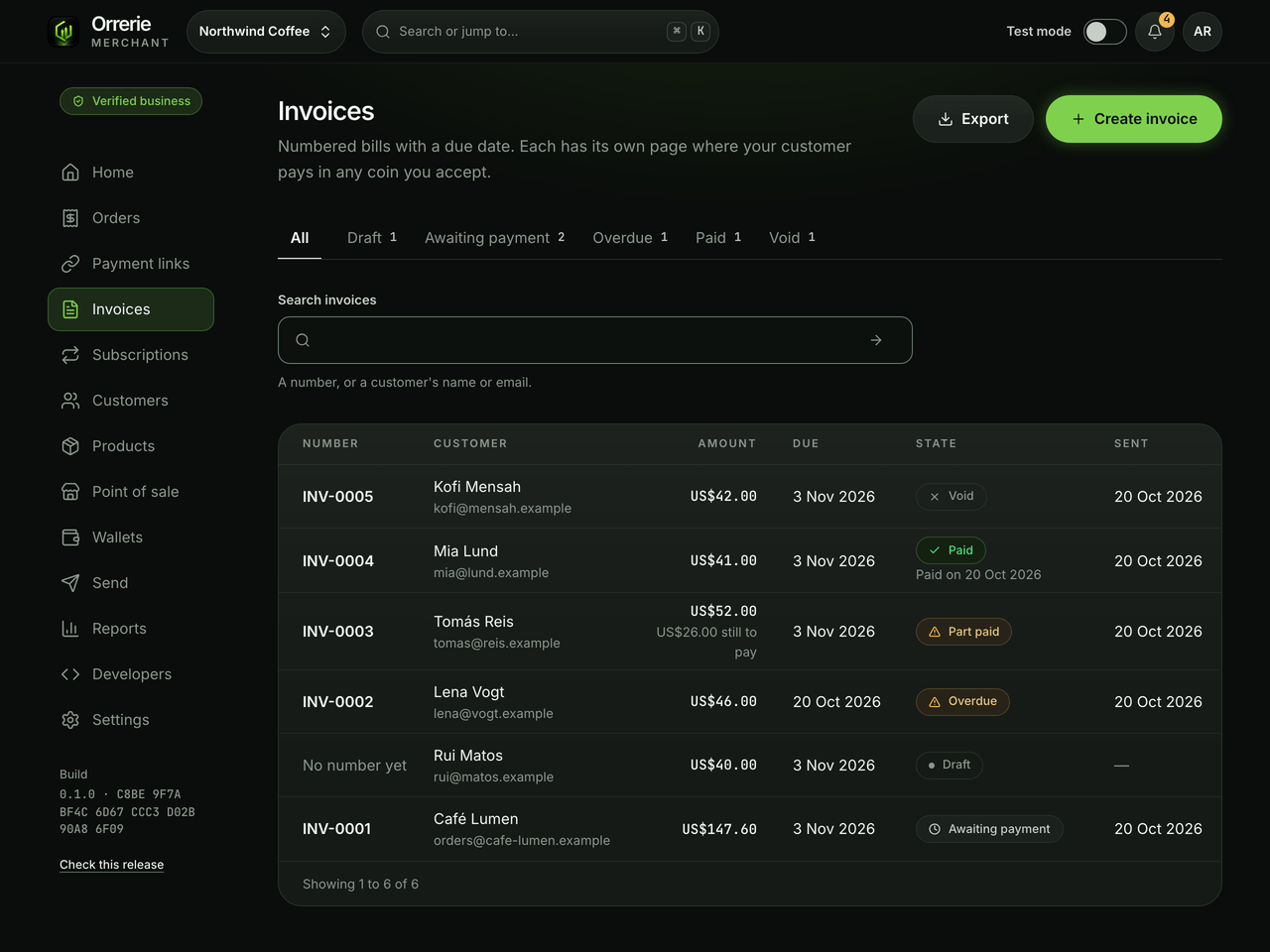
Send a test invoice.
Test mode makes the same invoices and their checkout, with no real money.