
Point of sale
A till on any phone or tablet. No app, no key on the device.
Type the amount, turn the screen to your customer, and wait for Paid.

The pictures on this page show the built product with a test business and simulated payments.
Set it up
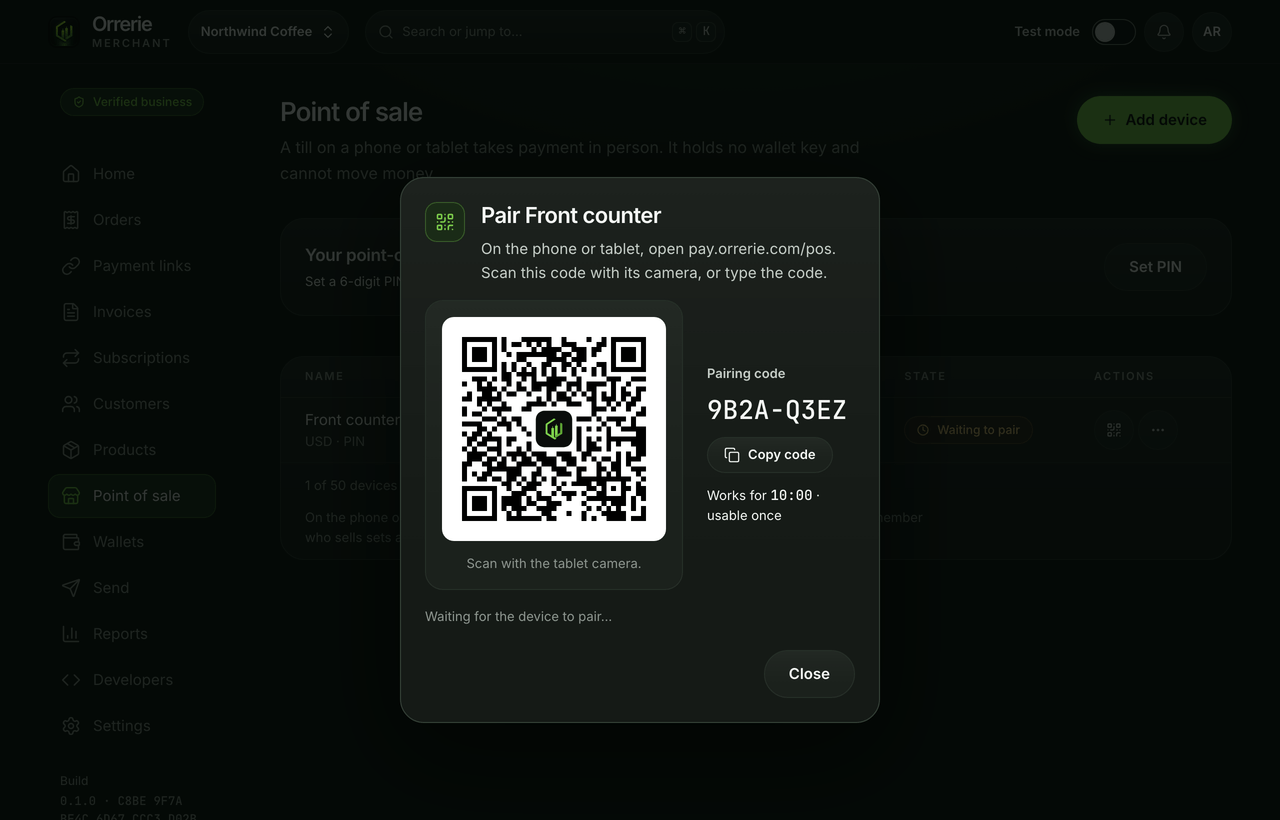
Pair a device with a code. Give staff a PIN.
The till is a page at pay.orrerie.com. It holds no key and can only create orders: no refunds, balances or addresses are reachable from it.
- The pairing code is valid 10 minutes and usable once.
- A six-digit PIN says who is selling.
- Five wrong tries lock that person on that device for 15 minutes.
A sale
Charge, show the code, done.
The customer scans the code and pays on the ordinary checkout, where Pay with Orrerie is the first button. A wallet that scans only addresses can be shown an address instead.
- The smallest charge is US$1.00.
- With no connection the keypad is disabled: nothing is queued offline.

Paid
Paid only when the network proves it.
The till goes from Waiting for payment to Payment seen, then Paid, with a receipt the customer can scan.
- Each sale is one order, with the seller and the tip kept on it.
- Today lists the device's sales and their total.
Slow networks
A Bitcoin payment needs about 10 minutes for its first confirmation. The till shows it as seen and moves the sale to Pending. It never calls an unconfirmed payment Paid.

See the checkout first.
A till takes only real payments. Test mode shows the checkout your customer pays on, with no real money.